SUMMER’26 – MFA Enforcement placed On HOLD

Salesforce MFA was first presented in early 2022, with the possibility to deactivate it, or remove users from it. 4+ years later, as written in this previous article, MFA was finally meant to be enforced by Salesforce on all instances, for all users, starting as of June / July 2026…

… except that Salesforce just placed this MFA enforcement ON HOLD on July 1st (exactly on the same day it should have begun to be enforced for Production instances).
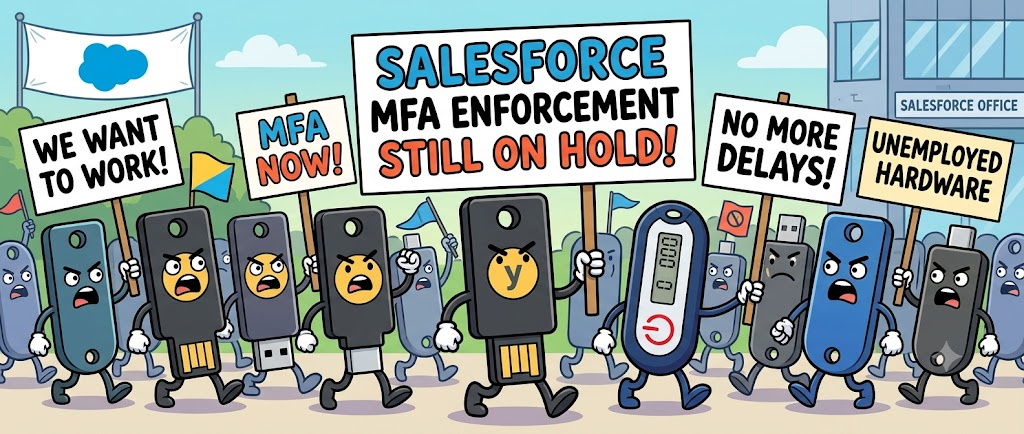
July 1st, 2026 – Salesforce MFA enforcement placed on hold

Planning was originally presented this way (with close dates between the enforcement on sandboxes, and the enforcement in Production) :

  • Sandboxes: Starting June 22, 2026, staggered over approximately 7 days
  • Production: Starting July 1, 2026, staggered over approximately 30 days

Since the first communications (march 2026) mentioning that the MFA enforcement would soon be mandatory, all clients had rushed trying to identify all the concerned users and the related impacts, understand the possible solution, and order security keys for their employees. Some clients missed the communication, and some others – especially for integrators, or consultancy firms – were still wondering how they would manage providing keys for all their consultants working on different Salesforce instances / projects.

Ok, great news for the latter ones ! this security update is On Hold…

… but that does not mean that you must stop all actions about it, especially because it deals with security.. So, it basically gives you more time to tackle these actions, and make sure that this will not be the mess for all unprepared clients (and integrators) when it is really going to be enforced. So keep on working on it !

As a reminder, there is the new MFA methods according to

  • the User Profile or User ‘s Permissions (Standard MFA for standard user ; Phishing Resistant MFA for System Administrators or Highly permission-granted users)
  • the type of login (login directly through Salesforce UI ; SSO-powered login)
TierDirect Salesforce Login (Salesforce MFA verifiers)SSO Authentication Method Reference (AMR) SignalsSSO Authentication Context Class Reference (ACR) SignalsResult
Phishing-
Resistant MFA
Security Keys (WebAuthn), Built-in Authenticators (Touch ID, Windows Hello), Admin-Generated Temporary Verification Codescert, face, fido, fido2, fpt, hwk, iris, passkey, phr, pki, pop, pwlesspasskey, retina, sc, smartcard, swk, tlsclient, wia, x509fido, fido2, fpt, hwk, passkey, phr, pki, pwlesspasskey, retina, smartcard, swk, tlsclient, wia, x509Successful login.
Standard MFASalesforce Authenticator, TOTP Apps (Google/Microsoft Auth)mfa, mobiletwofactorcontract, multipleauthn, okta_verify, pin, pgp, publickey, rsa, timesynctoken, user, vbmmfa, mobiletwofactorcontract, multipleauthn, okta_verify, pgp, publickey, rsa, timesynctoken, vbmSuccessful login
Weak / No MFANo MFApwd, sms, tel, emailLogin blocked until enrollment and use of standard MFA verifiers

Have a nice summer, dealing with users, access management, and security !


To read more on the subject


SUMMER’26 – Default Transaction Security Policy (TSP) on Reports Exports

Following my previous article dealing with MFA enforcements (and stricter « Phishing-Resistant » MFA for System Admin users, or users with powerful administrative permissions), Salesforce also recently communicated on changes on Transaction Security Policies, that will be released after Salesforce’s Summer’26 release.

As you know, large report exports may be easily exploited for data theft or leaks (from out of the company, or by someone stealing data before leaving). With Salesforce’s Event Monitoring (Shield) and some robust Transaction Security Policies, Salesforce platform provides a proactive layer of defense to identify and block unauthorized data leak.

So what is the change for Summer’26 ?

STRICTER TSP MANAGEMENT REQUIREMENTS

Managing your critical Transaction Security Policies (TSP) will soon require a « double check » approach. Indeed, to be able to create, edit, or activate / deactivate TSP records, users would now need to be assigned both the following permissions :

  • The « traditional » Customize Application permission, used for instance customization.
  • With the upcoming Modify Transaction Security Policy permission.

Salesforce also mentions that if a user is trying to perform these actions through the Setup User Interface, Salesforce will prompt this user for an extra identity verification step, in order to ensure the changes are intentional and well realized by the logged-in user.

🔜▶️ As for now, please check your System Administrators, and all users granted with the Customize Application permission, and start identifying who should be assigned the new Modify Transaction Security Policy permission.

A NEW DEFAUT POLICY FOR LARGE REPORT EXPORTS

To prevent data leaks, due to badly configured instances, or Salesforce products not yet fully mastered by clients, Salesforce will also roll out a default Transaction Security Policy, dealing especially with report export use case.

  • This policy will concern any UI-based report export that exceeds 10 000 records.
  • In this case, Salesforce will automatically require an extra identity verification step before the export can continue.

🔜▶️ That will allow for all new orgs / updated orgs to have at least one default security policy. However, you will need to review, tweak or not, and activate this default Transaction Security Policy, so that it will match your data volume / sensitivity and criticality of your data.


To read more on the subject


SALESFORCE #TIPS – Root Certification change from Digicert G1 to G2

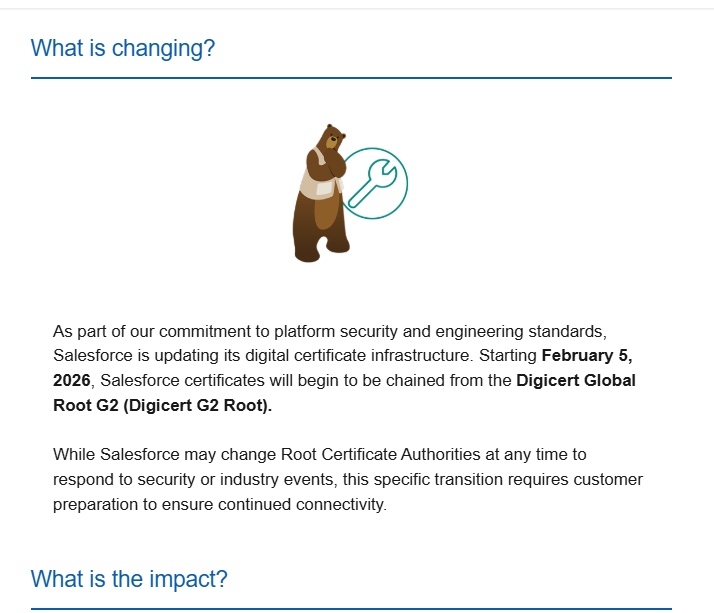
You have probably received a Salesforce notification about Digicert Root Certification change (from Digicert G1 to Digicert G2) on Salesforce side. Don’t throw this email !

Salesforce is about to impact its security certification structure, meaning that you will not be able to connect / interact with your Salesforce instance anymore, if your system or data integration chain is not prepared for this change.

Salesforce notification on the certificate change

Who is impacted by this change ?

You may be impacted, by the certificate change, in the following cases :

  • you use Salesforce through an outdated computer and web browser, or through a custom app whose code is not properly managed or contains hard-coded connectivity information.
  • your Salesforce instance is connected to other servers (for data synchronisation)
  • your Salesforce instance is connected to middleware solutions or integration platforms (for data synchronisation)

If you are in this case, and do not audit your connections / applications before February 5th, your users may experiment connectivity issues when trying to logging to / reaching out your Salesforce instance.

If you have developed custom applications, or data synchronisation processes / flows, make sure that you have not hard-coded certificate-related information in your code, due to either a lack of best practices, or because you have implemented certificate pinning on « to-be-expired » certificate for security purpose.

Am I concerned if I am a Salesforce user ?

To be able to connect to Salesforce (User interface, or technical one), you must ensure that your server / custom application / web browser trusts the Digicert G2 Root Certification.

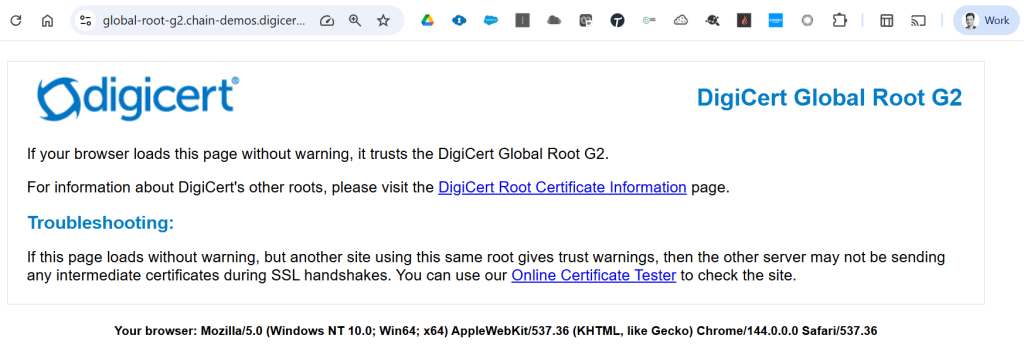
Most users accessing Salesforce, through their web browsers, are already up-to-date, if they regularly update their browser application, when requested to do so. Indeed, all recent and browsers already includes this certification in their trust store.

To test its presence on your browser, you can either :

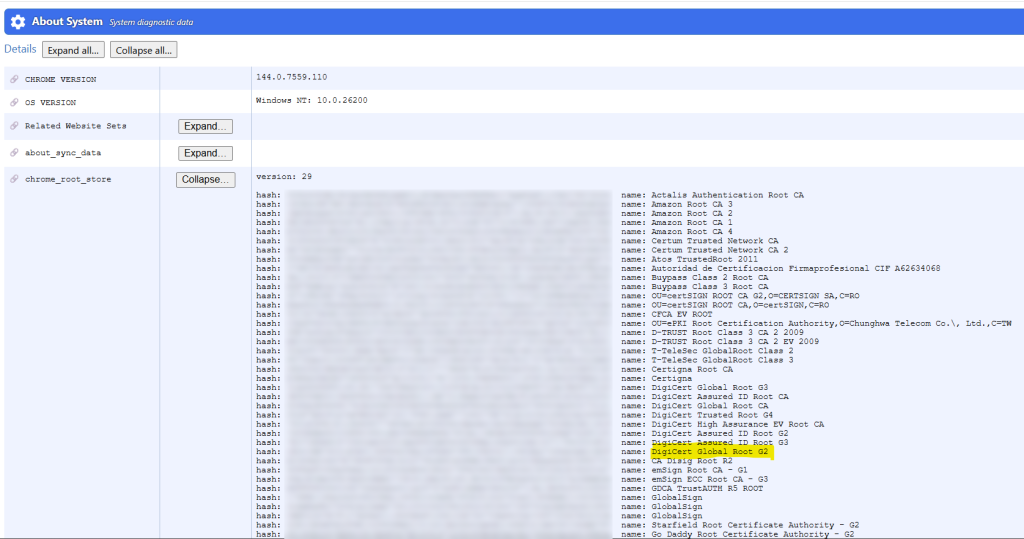
  • Or access directly your Chrome Root Store through your Chrome System page by navigating to : chrome://system. Click « Expand… » button on the chrome_root_store line :
Digicert G2 Root certificate – Access your Chrome trust store

You can also find the certificates handled by Chrome in the following document : https://chromium.googlesource.com/chromium/src/+/main/net/data/ssl/chrome_root_store/root_store.md

As you can see in the screenshots above, both G1 and G2 Root certifications are present in this Chrome trust store. Even G3 Root certification is present 🙂

Subject
CN=DigiCert Global Root CA,OU=www.digicert.com,O=DigiCert Inc,C=US
CN=DigiCert Global Root G2,OU=www.digicert.com,O=DigiCert Inc,C=US
CN=DigiCert Global Root G3,OU=www.digicert.com,O=DigiCert Inc,C=US


Winter’24 – Permission Set Summary (Beta)

In Winter’24 preview, there is a new feature that is in beta testing, that allows to consolidate and present an overall vision of all permissions present within a given Permission Set.

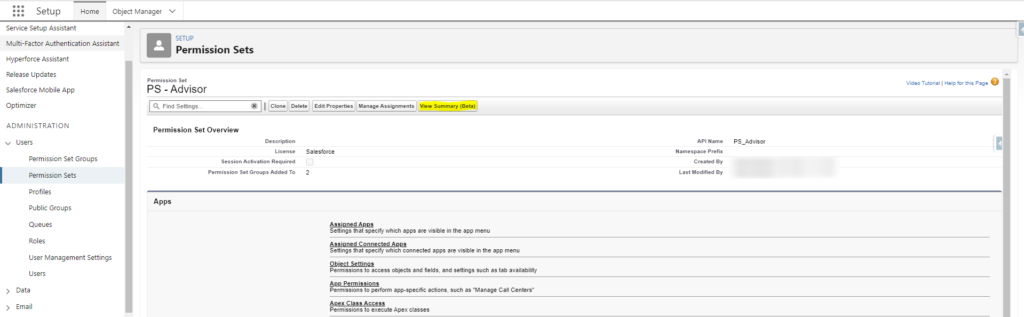
To access this summary, you should navigate in Setup, to the given permission set, and click on « View Summary (beta)« 

A complete summary of all included permissions, of this Permission Set, is then displayed, without needing to deep dive in the usual permission menu (that you could see in the grey section of the bottom of the previous screenshot).


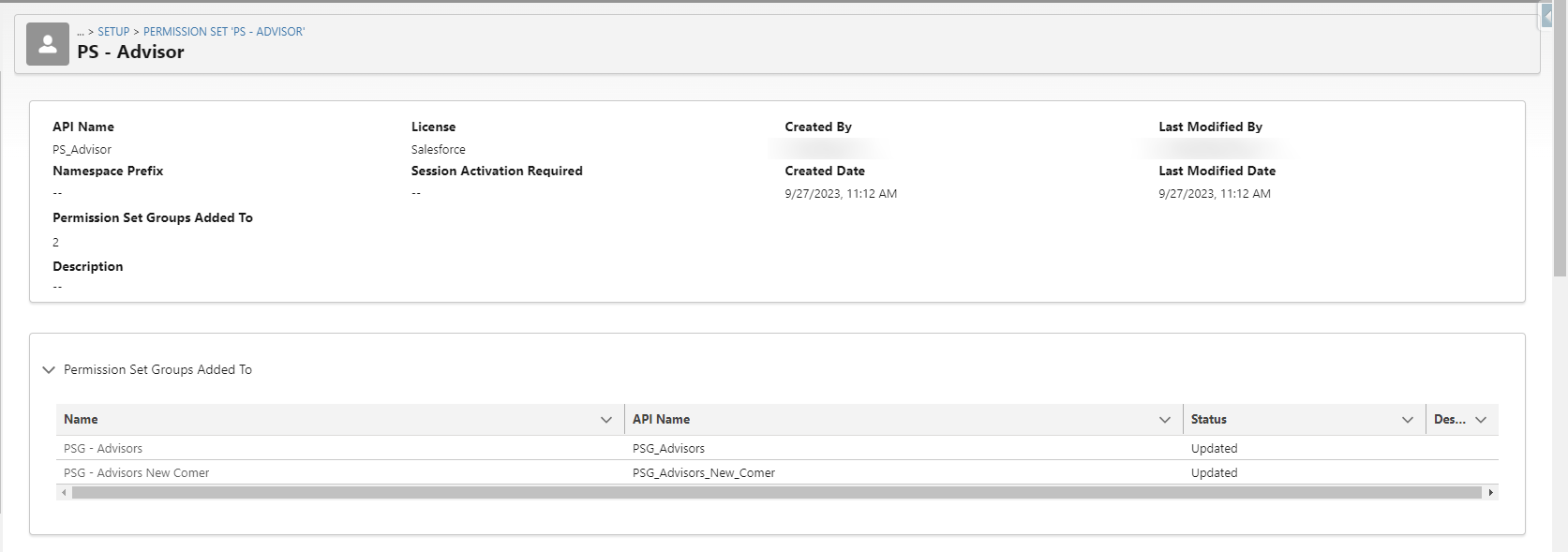
The top section of the page displays :

  • A first block with the Permission Set summary information,
  • Information about all permission set groups, which include the Permission Set

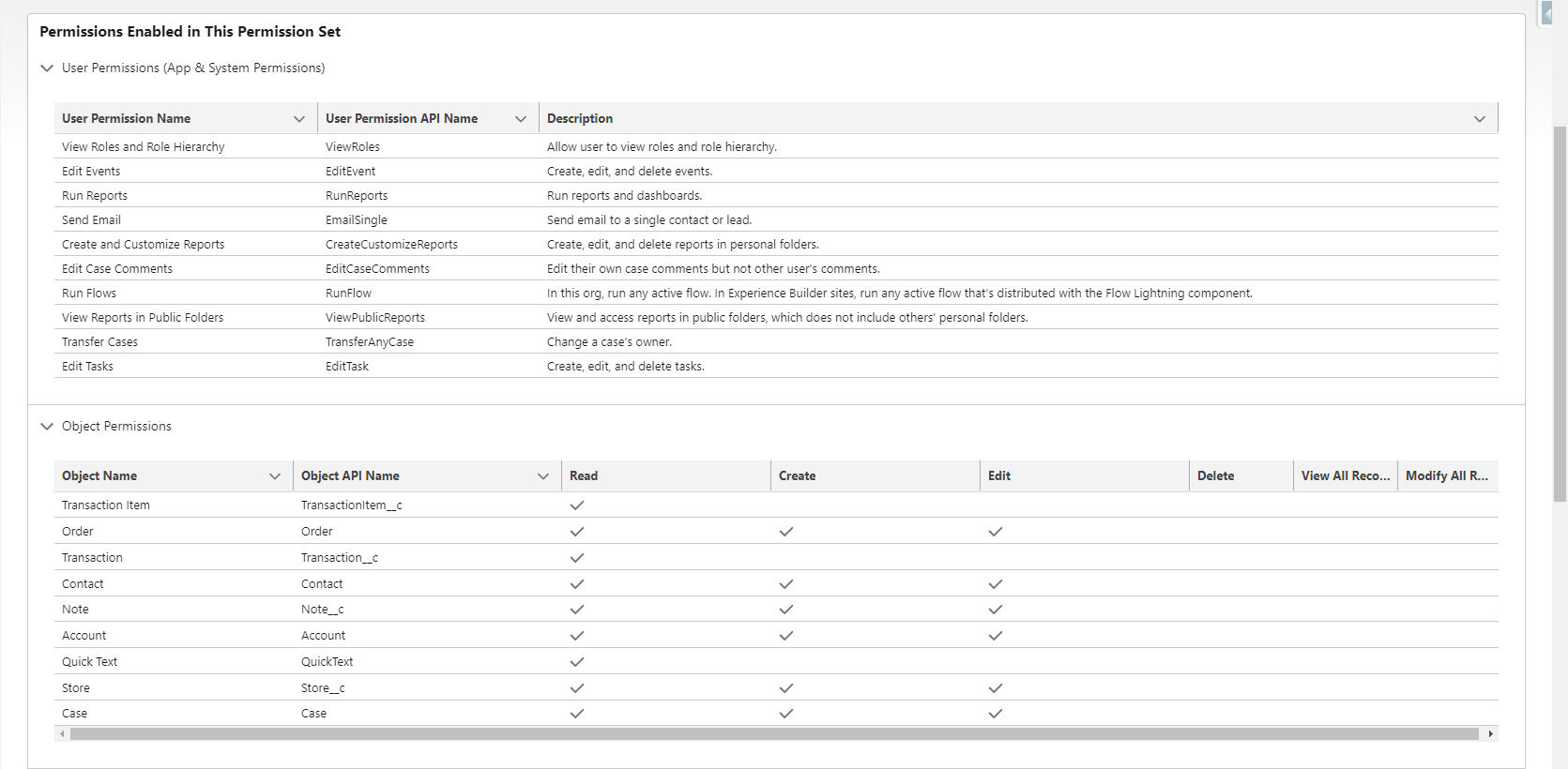
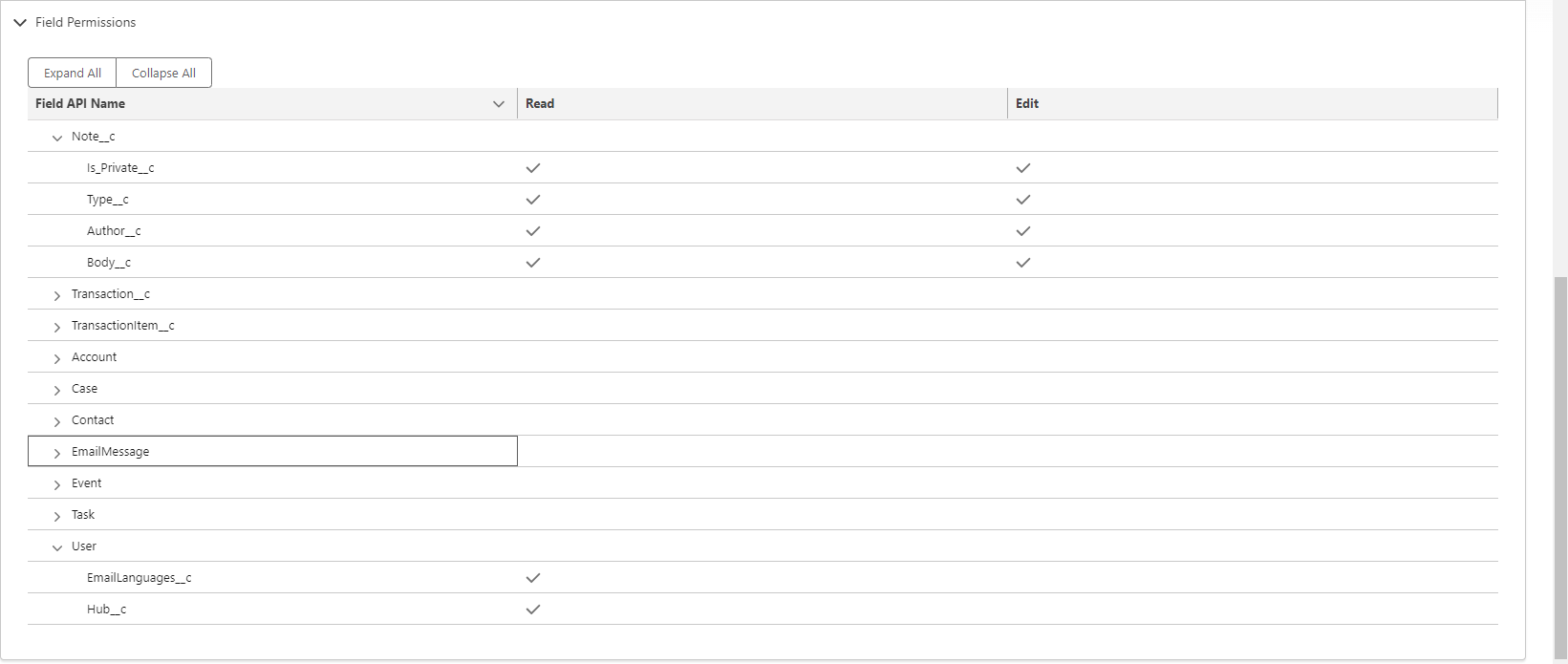
The section below presents :

  • The System Permissions present within the enabled Permission Set (before you had to go to the System Permission sub menu, and scroll through the whole page with all System Permissions, to see which ones have been enabled),
  • The Object permissions
  • The Field permissions